Published on 21 May, 2026 | Updated on 28 Jul, 2026 | By SmartNode ⏱️ 7 min read
Touch Screen Boards: The Ultimate Guide to Smart & Interactive Display Boards
Walk into any modern space today, and you’ll notice something has changed.
A teacher is no longer writing on a dusty board.
A manager isn’t struggling with cables before a presentation.
A homeowner isn’t walking across the room just to switch off lights.
Instead, everything responds to a simple touch.
That’s the shift that touch screen boards have quietly created.
They are no longer just screens. They’ve become a part of how we interact with spaces every day.
What Are Touch Screen Boards?
Touch screen boards are interactive digital displays that respond directly to touch input. Instead of using external devices, you simply tap, swipe, or drag to control them.
But here’s where it gets interesting.
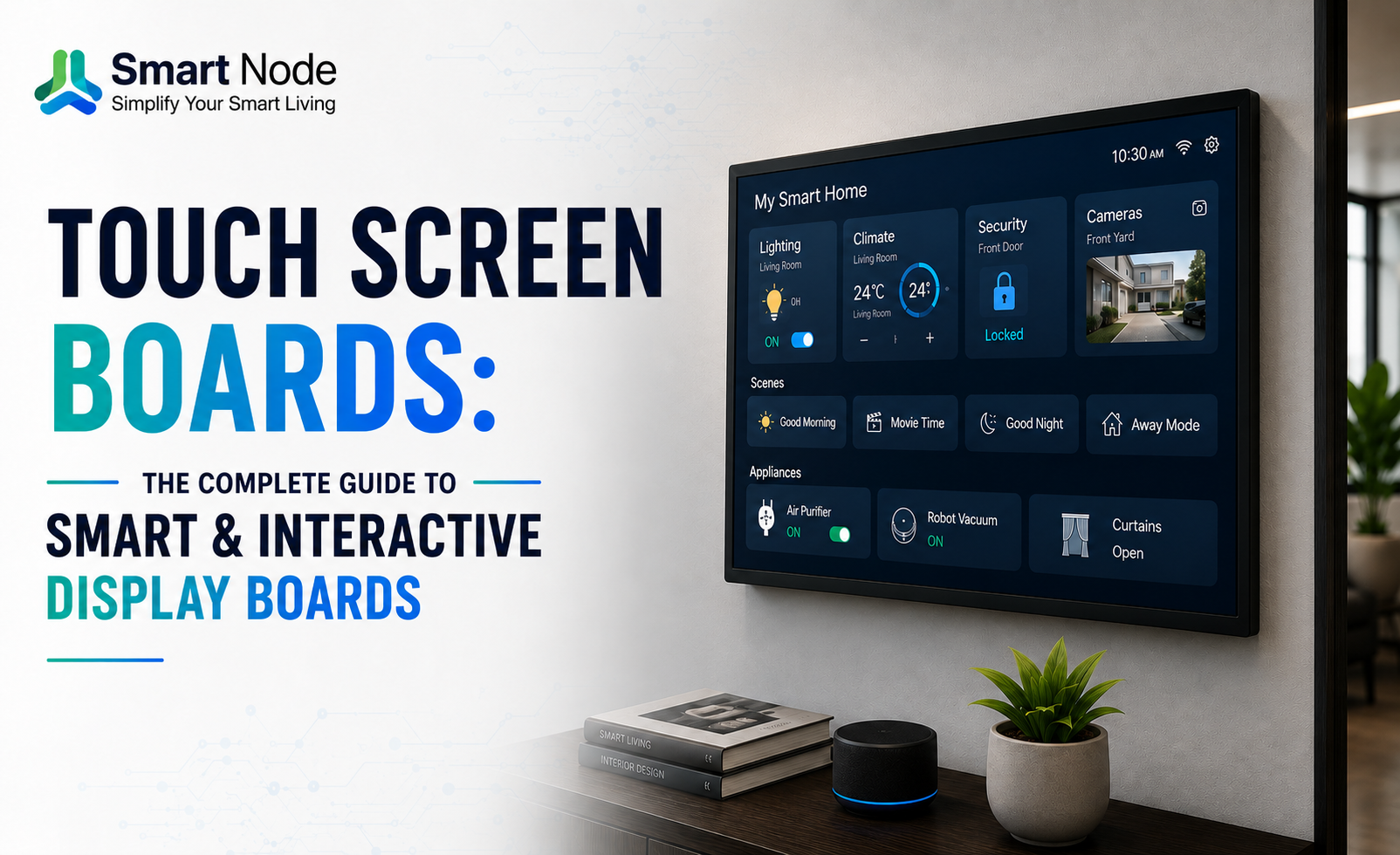
Imagine you walk into your living room after a long day. Instead of switching on lights, adjusting fans, and closing curtains one by one, you just tap a screen near the entrance.
Lights turn on. Curtains close. The room adjusts itself.
That’s not just a display anymore. That’s a control experience.
In systems like Smart Node, this happens because the touch panel acts as a front-end interface connected to backend devices, allowing full control from one place.
The Rise of Touch-Screen Boards Across Industries
Touch interaction is growing because it feels natural. People don’t need training to use it.
Education: Transforming Classroom Learning
Think about a classroom where a teacher is explaining a concept.
Instead of drawing static diagrams, they zoom into images, play videos, and solve problems live on the board.
Students don’t just listen. They participate.
That’s the difference between teaching and engaging.
Corporate: Enabling Smarter Meetings
We’ve all seen meetings where someone says,
“Just give me a minute… HDMI connect nahi ho raha.”
Now imagine this instead.
A team member walks in, taps the screen, shares their laptop wirelessly, and starts presenting immediately.
No delay. No frustration.
That’s the real value of touch screen boards in offices.
Retail & Hospitality: Engaging Customers
Picture yourself in a premium showroom.
Instead of asking a salesperson for every detail, you walk up to a screen and explore product features on your own.
Swipe. Compare. Zoom.
You are in control of your buying journey.
Healthcare: Streamlining Information Sharing
In a hospital, speed and clarity matter.
Doctors and staff can access reports, display patient data, and communicate information instantly using touch boards.
No paperwork delays. No confusion.
Types of Touch Screen Boards You Should Know
Different spaces need different solutions.
Touch Screen Smart Board
These go beyond display.
For example, in a smart home, a touch screen smart board can control lighting, fans, curtains, and even door locks from one interface.
It becomes part of your daily routine.
Touch Screen Display Board
These are more focused on interaction and display.
You’ll see them in malls, offices, and showrooms where the goal is to present and engage.
Interactive Flat Panel (IFP)
Common in schools and corporate environments.
They are built for teaching, presentations, and collaboration.
Portable & Standalone Touch Boards
Used in events, exhibitions, or temporary setups.
Easy to move. Easy to set up.
Touch Screen Smart Board: In-Depth Features & Benefits
This is where things start to feel powerful in real life.
Multi-Touch & Gesture Recognition
Imagine two people standing in front of the screen.
One is zooming into a design. The other is writing notes.
Both working at the same time.
That’s how natural interaction feels.
Wireless Connectivity & Screen Mirroring
A common situation.
You’re presenting in a meeting, and someone says,
“Share your screen.”
Instead of plugging cables, you just connect wirelessly and start.
Smooth. Quick. Professional.
Built-in Software & App Ecosystem
Now take it into a home.
You wake up in the morning. Instead of opening an app, you tap a screen beside your bed.
Lights slowly brighten. Curtains open. Fan adjusts.
Smart Node systems enable this by connecting the touch interface with all backend devices through one unified platform.
Remote Management & Scheduling
Think about this.
You leave for work and forget to switch off the lights.
Instead of worrying, you either schedule it or control it remotely.
Even better, you automate it once and never think about it again.
Compatibility with Learning & Collaboration Platforms
Whether it’s a teacher sharing notes or a team reviewing a design, these boards fit into existing workflows easily.
Where Smart Node Fits: From Display to Complete Control
This is where things become real.
Most touch screen boards stop at interaction.
Smart Node takes it a step further.
Home-Link: Everyday Convenience That Feels Effortless
Imagine you’re in your bedroom at night.
You’re about to sleep, but lights are still on, fan needs adjusting, and curtains are open.
Instead of getting up, you tap the Home-Link panel beside your bed.
Everything adjusts instantly.
No phone. No effort.
It’s simple, intuitive, and designed for daily life.
Home-Link Pro: Control That Matches Your Lifestyle
Now picture your living room.
Guests are over. You want the lights dim, curtains closed, and a perfect ambience.
Instead of managing everything separately, you just tap “Movie Mode.”
Or even better, use the control knob to adjust lighting instantly.
Home-Link Pro becomes the center of your home, where everything connects and responds.
Why This Feels Different
Because it removes effort.
It’s not about showing technology.
It’s about making life smoother without thinking about it.
Touch Screen Display Board: Where It Fits Best
Not every space needs full automation.
Some need interaction and communication.
Corporate Lobbies & Reception Areas
Visitors walk in and explore company information on their own.
No waiting. No confusion.
Digital Signage & Wayfinding
In malls or large offices, people can find directions instantly instead of asking around.
Command & Control Rooms
Operators monitor and manage systems quickly without switching between devices.
Retail Product Showcasing
Customers interact with products digitally before making a decision.
How to Choose the Right Touch Screen Board
Choosing the right board is about how you plan to use it.
Screen Size & Resolution
A small meeting room doesn’t need a massive display.
A large hall does.
Touch Technology
Some setups need precision, others need durability.
Choose based on usage.
Connectivity
The fewer cables, the better the experience.
Wireless connectivity saves time and effort.
Software Ecosystem
This is where long-term value comes in.
A system that connects with apps, automation, and devices gives you more flexibility.
Warranty & Support
Think long term.
Reliable support ensures your system keeps working without issues.
Installation & Mounting: Getting It Right
Placement matters more than people think.
A touch panel placed too high or too low becomes uncomfortable.
In homes, placing it near entry points or bedside areas makes it more useful.
In offices, it should be visible to everyone.
Good installation makes the experience feel natural.
Conclusion: Invest in the Right Touch Screen Board for Your Space
Touch screen boards are not just about technology anymore.
They are about how people interact with spaces.
From classrooms to meeting rooms to homes, they are quietly improving everyday experiences.
And the biggest shift is this.
You don’t just use them.
You start relying on them.
Because once your space responds to a simple touch, going back feels inconvenient.
Frequently Asked Questions About Touch Screen Boards
Yes. Many systems work on local networks, so basic functions continue even without internet.
With proper usage, they last several years. Quality and support make a big difference.
Standard boards are for indoor use. Outdoor setups require specialized protection.
Related Blogs
09 Oct, 2026
Blog
Smart Remote Control Systems for Home Automation
A modern living room can have a surprising number of remotes. One for…
09 Oct, 2026
Blog
Smart Power & Socket Automation Guide
A socket is easy to ignore until you start thinking about everything connected…
09 Oct, 2026
Blog
Office Automation Systems: A Practical Guide to Building Smarter Workspaces
An office usually reveals how it is managed within the first few minutes.…