Published on 28 Jul, 2026 | Updated on 28 Jul, 2026 | By SmartNode ⏱️ 6 min read
4-Wire Gate Motor vs 2-Wire: Which One Works With the Smart Node Gate Controller?
Gate automation sounds simple until you’re standing in front of your gate motor’s terminal block, staring at a row of labelled wires, trying to figure out if your controller will actually work with it. This confusion is more common than most people expect, and it’s usually the reason a gate automation upgrade gets delayed. Getting the wiring configuration right before you buy anything saves a lot of back and forth later.
What Is a Gate Motor Wiring Configuration and Why Does It Matter?
Every gate motor uses a specific wiring configuration to receive its open and close commands, and this configuration is built into the motor itself. It cannot be changed after the fact without opening up the motor’s control board, which most homeowners and even many installers avoid doing.
A controller that’s designed for one wiring type will simply not communicate correctly with a motor built for the other type. It’s not a matter of one being better than the other. It’s a matter of matching the controller to what your existing motor already expects. This is exactly why checking wiring configuration is the first step before choosing any gate automation system, rather than buying a controller first and hoping it fits.
The Difference Between a 4-Wire and 2-Wire Gate Motor
Most sliding and swing gate motors sold in India fall into one of these two categories, and they work in fundamentally different ways.
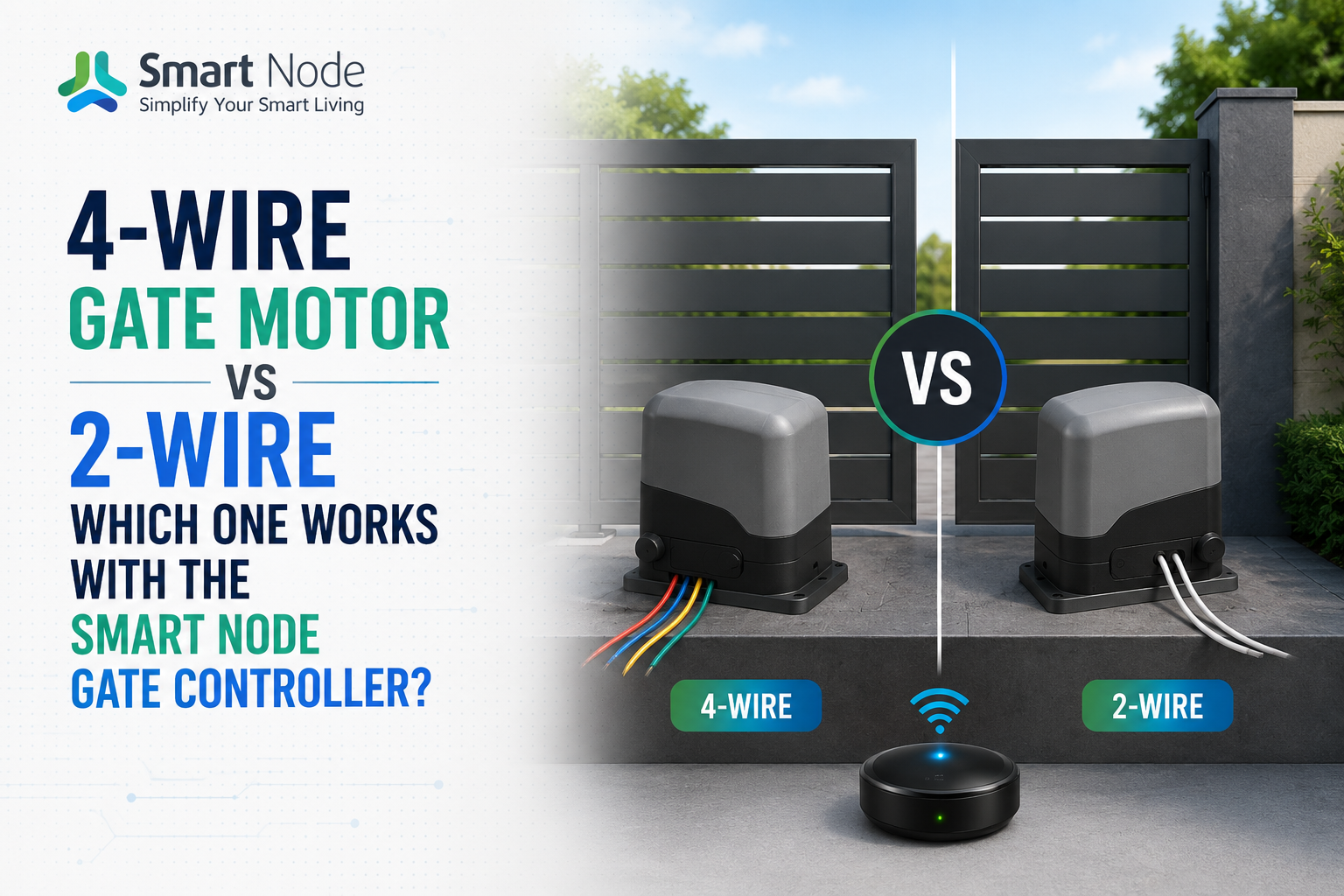
How a 4-Wire Motor (O, C, S, C) Is Wired and How It Works
A 4-wire motor uses four separate terminals, commonly labelled O (Open), C (Common), S (Stop), and C (Close). Each function, opening, closing, and stopping, has its own dedicated wire connecting back to the motor’s control board. When a signal is sent to the O terminal, the gate opens. A signal to the C (Close) terminal closes it, and the S terminal stops the motor mid-motion if needed.
This setup gives precise, independent control over each action, which is why most modern automatic gate opening systems in villas and gated communities use this configuration.
How a 2-Wire Motor (NO and C) Is Wired and How It Works
A 2-wire motor works differently. It uses just two terminals, NO (Normally Open) and C (Common), and relies on a single pulse signal to cycle through open, stop, and close in sequence. The first pulse opens the gate, the second pulse stops it, and the third pulse closes it, all through the same two wires.
This is a simpler wiring setup, often found on older or more basic motor models, but it depends entirely on the motor’s internal logic to interpret each pulse correctly.
Why These Two Configurations Are Not Interchangeable
A 4-wire controller sends separate, dedicated signals for open, close, and stop. A 2-wire motor has no way to receive three separate signals, since it only has two terminals built for a single pulsed signal. Connecting a 4-wire controller to a 2-wire motor, or the other way around, will not damage the system in most cases, but it simply will not function as intended. This is the single most common reason a gate automation installation fails to work on the first attempt.
What Is the Smart Node SD.1G.1 Gate Controller?
The Smart Node SD.1G.1 is a Wi-Fi based gate controller built to bring app, voice, and scene control to gate motors without replacing the motor itself. It connects directly to your home Wi-Fi network, letting you open and close your gate from the Smart Node app, through voice assistants, or as part of a larger home automation scene, alongside your lights, curtains, and locks.
The SD.1G.1 is designed specifically for 4-wire gate motor configurations, using the O, C, S, C terminal layout to send precise open, stop, and close signals. It also retains support for your existing physical remote or wall-mounted push button, so nothing about your current setup needs to be removed. This makes it a retrofit solution rather than a full motor replacement, which keeps both cost and installation time down considerably.
How to Install the Smart Node SD.1G.1 on a 4-Wire Gate Motor
Installation on a compatible 4-wire motor is straightforward for anyone comfortable with basic electrical work, though professional installation is recommended for gates connected to mains wiring. The SD.1G.1 connects to the motor’s existing O, C, S, and C terminals, running in parallel with your current remote receiver rather than replacing it. Once wired, the controller is powered on, connected to your home Wi-Fi network through the Smart Node app, and paired to your account.
From there, the gate can be tested through the app to confirm the open, stop, and close functions are responding correctly, and added to smart home automation scenes you’re already using, such as an “Arriving Home” scene that opens the gate and switches on the driveway lights together.
FAQs: Smart Node SD.1G.1 and Gate Motor Compatibility
It refers to a motor with four separate terminals, one each for Open, Common, Stop, and Close. Each function gets its own dedicated wire, which allows a controller to send precise, independent signals for opening, stopping, and closing the gate rather than relying on a single pulsed command.
A 2-wire motor uses only two terminals, Normally Open and Common, and cycles through open, stop, and close using repeated pulses on the same wire pair. Since the Smart Node SD.1G.1 is built to send separate signals across four terminals, it cannot correctly communicate with a motor that only accepts pulsed signals on two wires.
Yes. The SD.1G.1 is designed to work alongside your existing remote and wall-mounted push button rather than replace them. It connects in parallel to the motor’s terminals, so your original controls continue functioning exactly as before, alongside the new app and voice control.
The SD.1G.1 needs a stable Wi-Fi connection at the gate motor’s location, similar to what a smart plug or camera would require for reliable performance. If the gate is far from your router, a Wi-Fi extender or mesh point near the motor’s installation area is recommended to avoid delayed or missed commands.
Related Blogs
28 Jul, 2026
Blog
Curtain Automation: How It Works and Why Every Indian Home Needs One
It's 7 AM on a Saturday in Vadodara, and the sun is already…
24 Jun, 2026
Blog
Automatic Curtain Opener: How It Works & Why You Need One
Most people don't think much about their curtains.They open them in the morning,…
23 Jun, 2026
Blog
Smart IR Blaster vs Traditional Remote: What’s the Difference?
What Is an IR Blaster and Why Do You Need One?It's 9 PM.…